Those carousels of slides sitting in your attic hold real memories — family vacations, holidays, faces you haven't seen in years. At Fleetwood Photo in Knoxville, we professionally digitize 35mm, 110, 120, and 126 slides in-house, converting them to high-quality digital files you can share, print, and actually enjoy. No projector required.
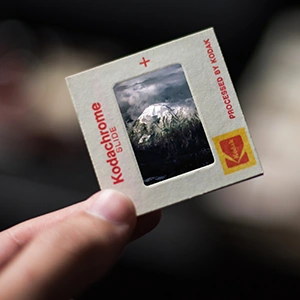
35mm slides are the most common format we see. Each scan is approximately 4496×3000 pixels — high enough resolution for large prints or digital sharing.
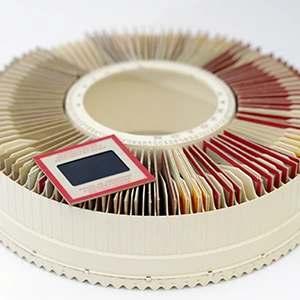
We scan from standard Kodak-compatible carousels (80 or 140 count). Don't have carousels? You can rent them from us — just ask when you bring your slides in.
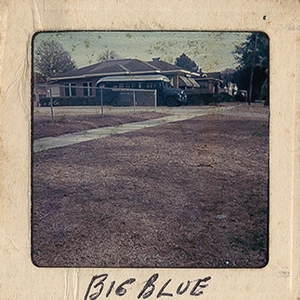
Dust, lint, and light scratches are common on stored slides — we use an air cleaning process before scanning. Heavily damaged slides can often still be digitized and restored.
35mm slides are considered standard.
All other sizes are considered non-standard (for example: 110, 126 and 120 slides) and additional charges apply.
Slides are scanned with an air cleaning process; however, lint, dust and scratches are common on stored slides.
35mm slide scans are approximately 4496×3000 pixels in size. Upgrade options with higher resolution scans are available upon request.
For additional technical questions, please give us a call at 865-584-4554.
Which side is the front?
Typically, you can tell which is the front side of a slide, because it will either have a date or a number printed on it.
The back of the slide will typically have the processor’s mark (such as Kodak or Kodachrome). If you encounter a slide that says
“this side toward screen,” that is the back side of the slide. If there are no markings at all, the shiny emulsion side is the front
and the dull side is the back.
For the easy going:
Want your slides scanned but not too picky about organizing?
Bring them in! We will organize your slides by the carousel that they are in and give them a label.
For the moderately organized:
Know generally what is in each carousel?
Leave us a sticky note on the box or inside the carousel with a short description. For example, if you note
“1975 – Grand Canyon and Yosemite,” we will make that the name for that carousel.
For the super organized:
Have lots of different events in one carousel? Want to label all of them?
Put a sticky note on each carousel and label it “Carousel #1,” and so forth.
On a separate piece of paper, make a master list with a description of what each slide or carousel contains.
After the slides are processed, you can rename and reorganize them into as many folders as you need.
We never recommend shipping away family archives, treasured photos and irreplaceable home video movies. It’s too risky. Fleetwood The Print Refinery has been professionally preserving memories with archiving and scanning services in Knoxville for over 30 years.
COPYRIGHT NOTE – Fleetwood Photo respects all copyrights and will not print, copy, retrieve, modify, or forward copyrighted materials except with written permission from the copyright holder. If a print or image appears professionally produced (a notice of copyright on the work is not required), Fleetwood Photo must proceed cautiously and require a copyright release when using or reproducing materials supplied by our customers.
For more information, please contact us.
Contact Us